Visual C4 editor for developers
Build C4 diagrams thatsurvive review.
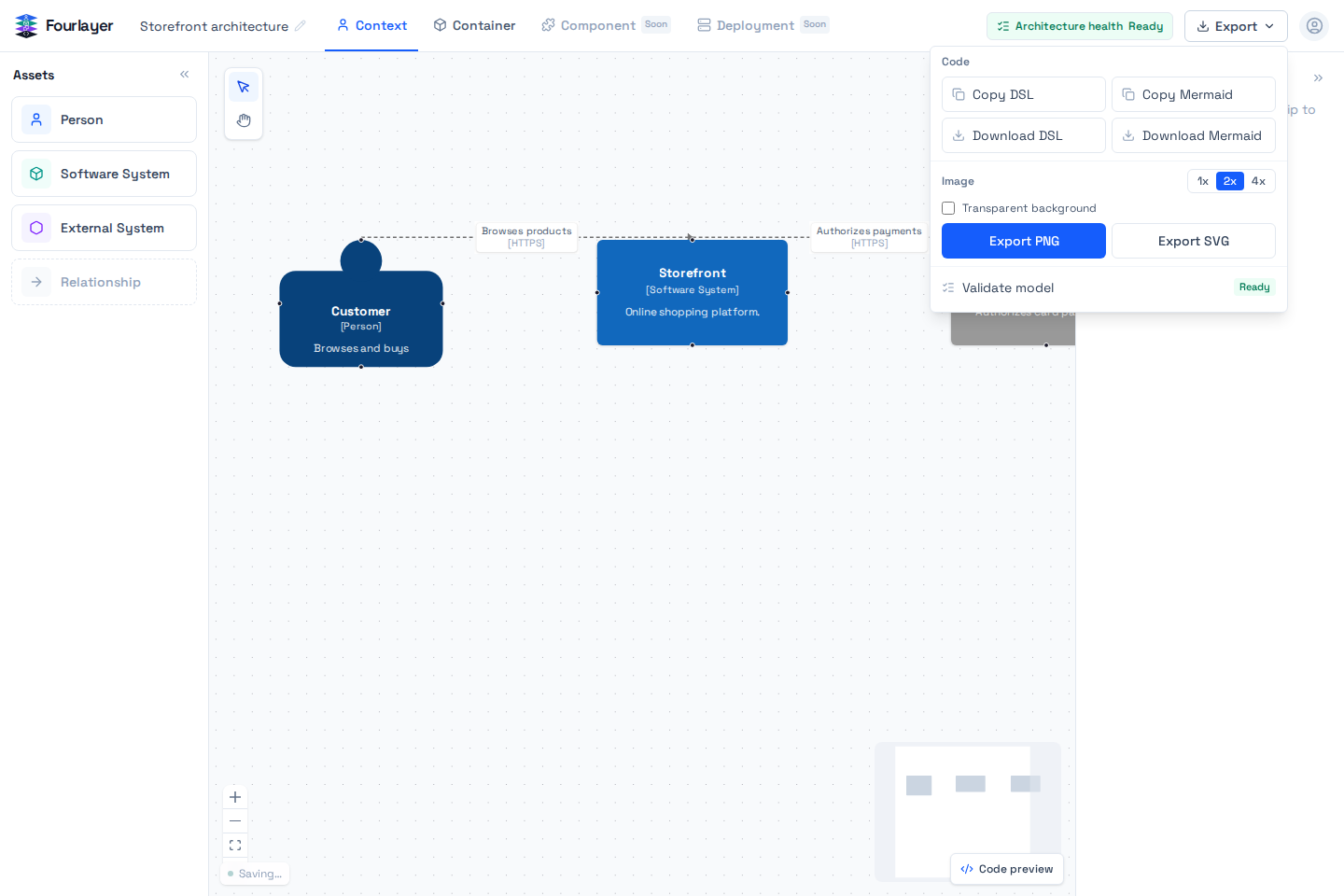
Draw the system visually, move from Context to Container to Component, then export Mermaid, Structurizr, PNG, or SVG.
For developers documenting real systems. No account required.
Model once. Use the view that answers the question, then take the output into the next conversation.
- 01Model
- 02Inspect views
- 03Export
A C4 model, in motion
Build the model in layers.
Each step adds only the detail the next conversation needs.
- 01
Begin with the person.
The first node answers who needs the system and makes the architecture legible to someone outside the implementation.
- 02
Draw the relationship.
A connection carries the reason the system exists in this model, not only a line between two boxes.
- 03
Set the context.
External systems remain visible without being mistaken for software the team owns.
- 04
Open the owned system.
Applications, APIs, and data stores move into the same model when the conversation needs a Container view.
03Take the model with you
The diagram is not trapped in the canvas.
Copy Mermaid or Structurizr DSL for your repository. Export PNG or SVG when the work needs to travel through a document, a presentation, or an architecture review.
- Mermaid for docs, wikis, and pull requests.
- Structurizr DSL for a C4-aware codebase.
- PNG and SVG when a real image is the right artifact.
- Component views when the conversation needs implementation detail.
workspace "Storefront" { model { customer = person "Customer" storefront = softwareSystem "Storefront" customer -> storefront "Browses products" }}Fourlayer public beta
Bring a system you already need to explain.
Build a Context or Container view, export the result, and tell us where the work stopped feeling obvious. That is the feedback that decides what Fourlayer becomes next.